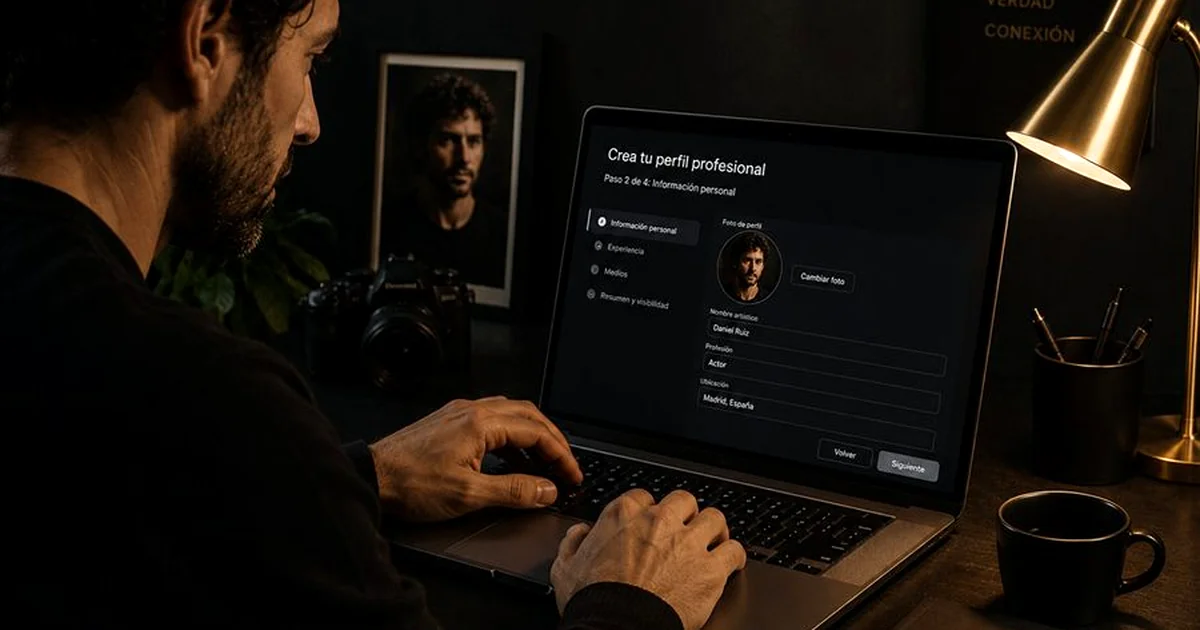
A well-built profile on Arga Studios is your calling card in front of casting directors across Spain. Simply signing up isn't enough: the difference between a profile that shows up in the top search results and one that stays invisible lies in the details. This guide walks you through, step by step, how to create and optimize it for maximum visibility.
Step 1: Sign up in under 3 minutes
Go to argastudios.com/pages/registro.html and enter your first name, last name, email, and password. Choose your main specialty: this detail helps the system position you in the casting searches that best fit your profile. You'll receive a confirmation email; once you verify it, your profile becomes active and visible in the directory.
Signing up is free. The Pro and Premium plans unlock advanced features such as the private casting channel, chat with directors, and AI-powered bio generation.
Step 2: Your profile photo — the first impression
It's the most visible element of your profile. A casting director takes 2 seconds to decide whether to keep looking or move on to the next one. To make your photo work:
- Use your professional headshot (head-and-shoulders shot, neutral background).
- High resolution: upload the image at the largest size available. The system will optimize it automatically.
- Be recognizable: the photo should reflect how you look today, not 3 years ago.
- Avoid group photos, sunglasses, or images taken in non-professional settings.
Step 3: Your bio — where AI works for you
Arga Studios includes an AI-powered bio generator. It's not a substitute for human writing: it's an accelerator. Instead of staring at a blinking cursor, you enter your details (specialties, training, projects, tone of voice) and the AI generates a draft in seconds that you then edit and personalize.
An effective casting bio should include:
- Your main and secondary specialty.
- Your most relevant training (acting schools, notable workshops).
- 2-3 specific projects or achievements (not a list of everything you've ever done).
- Languages and accents if relevant to your profile.
- Tone: professional but with personality. Avoid generic corporate language.
Ideal length: Between 80 and 150 words. A bio that's too long won't get read. One that's too short says nothing. The goal is for the director to know in 30 seconds exactly who you are and what kind of characters you can play.
Step 4: Specialties and skills — your search keywords
Let casting directors find you
Your talent needs visibility. Create your professional profile on Arga Studios and show up in the searches of those who hire. Free until October 2026.
Create my profile for free →The specialties you set on your profile are the keywords casting directors use to find you. Be precise and honest: if you list "singing" as a skill, you may get called for a musical.
Available specialties: Film, Theater, Voice Dubbing, Advertising, Series, Musicals, Voice-Over, Extras, Video Games, Short Films, and more. You can select up to 3 main specialties on your profile.
In the additional skills section you can list: languages, physical skills (sports, dance, martial arts), musical instruments, a driver's license, among others.
Step 5: Your showreel — the deciding element
The showreel is the piece that weighs most heavily in a casting director's decision. In your actor dashboard you can link your Vimeo or YouTube video directly. It will appear embedded in your profile and playable without leaving the platform.
If you don't have a showreel yet, read our guide: How to make a professional actor showreel. In the meantime, upload a working photo (a shoot, a rehearsal) that gives visual context to your experience.
Step 6: City and availability — filters directors use
The city where you're available is one of the most-used filters by casting directors, especially for local productions. State it accurately. If you're available to work in several cities or to travel, mention it in your bio.
Visibility tip: Profiles with a photo, a complete bio, a showreel, and at least 2 specialties set up appear 340% more often in the directory's search results than incomplete profiles. Every field you fill in is extra visibility.
Step 7: Keep your profile up to date
An inactive profile loses positions in the search ranking. Update your profile when:
- You complete a new project (add it to your experience).
- You have new material for your showreel.
- You change city or availability.
- You have more recent photos.
Recommended frequency: review and update your profile at least once every 2-3 months, even if there are no major changes. Recent activity improves your ranking in the directory.
Create your profile on Arga Studios today
Create your free profile and appear in the Arga Studios actor directory. The Pro and Premium plans expand your possibilities. Free until October 2026.
Create my profile for free →